Dropbox file requests for wedding photos: what guests and hosts see
I make WeddingQR, a competing service. I tried Dropbox file requests for a pretend wedding on November 10 and 11, 2026, with my own Dropbox, which is on a team plan. On November 12, I checked what Dropbox's guest page loads in a browser set up like an iPhone, and I read Dropbox's terms and help pages. Every Dropbox fact here was checked in November 2026.
A Dropbox file request is a link that lets anyone drop files into a folder in your Dropbox. It comes with every Dropbox plan, even the free one. So it's the "use what you already have" choice for wedding photos. I made one for Emma and Noah's wedding. Then I sent three photos as a guest named Maria, on a phone-size screen.
When a file request works well
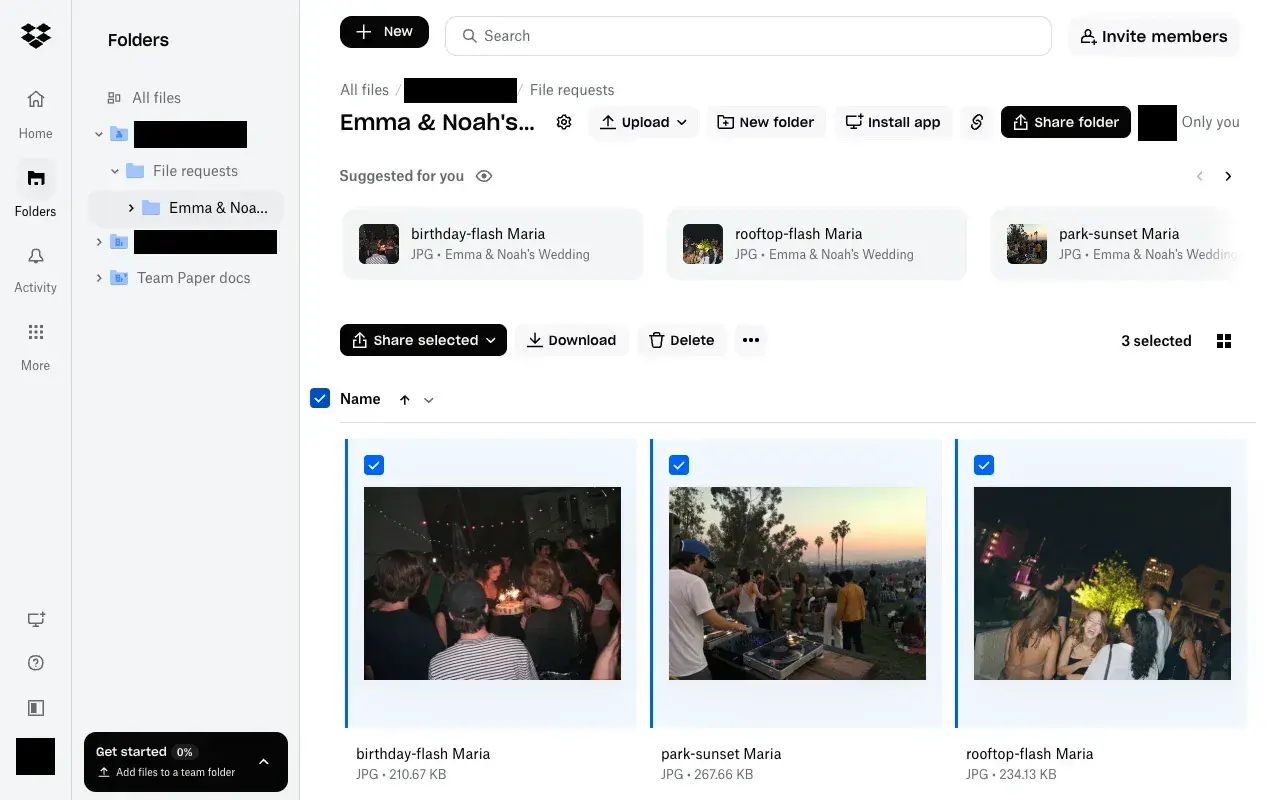
For collecting originals privately, a Dropbox file request did exactly what I wanted. Three photos arrived in my folder with the guest’s name added to each filename, and the ZIP contained the original files. Guests could upload without a Dropbox account. Only I could see the collection unless I shared it separately.
Setting up the request
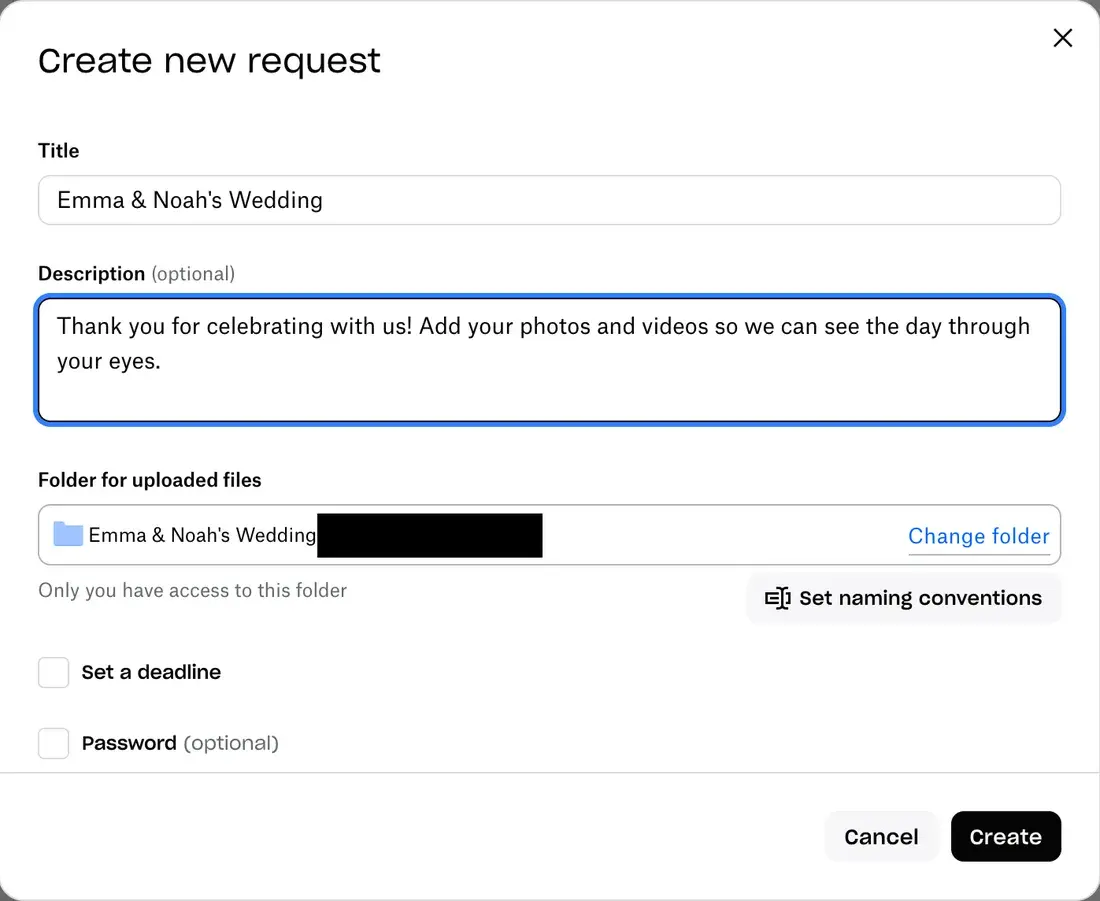
- Setup took me about a minute. Open File requests, click "Request files", type a title and a note, and press Create. Dropbox made a new folder and said "Only you have access to this folder."
- The photos were in my Dropbox right away, with nothing to wait for or export. Dropbox added the guest's name to each file, so "park-sunset.jpg" became "park-sunset Maria.jpg".
- Download all was quick.Two clicks gave me one ZIP named "Emma & Noah's Wedding.zip". It started in under a second, and all three photos were the same files Maria sent, byte for byte.
- The upload email came the same second, titled "Maria uploaded files you requested!", with the number of files and their names.
What guests see
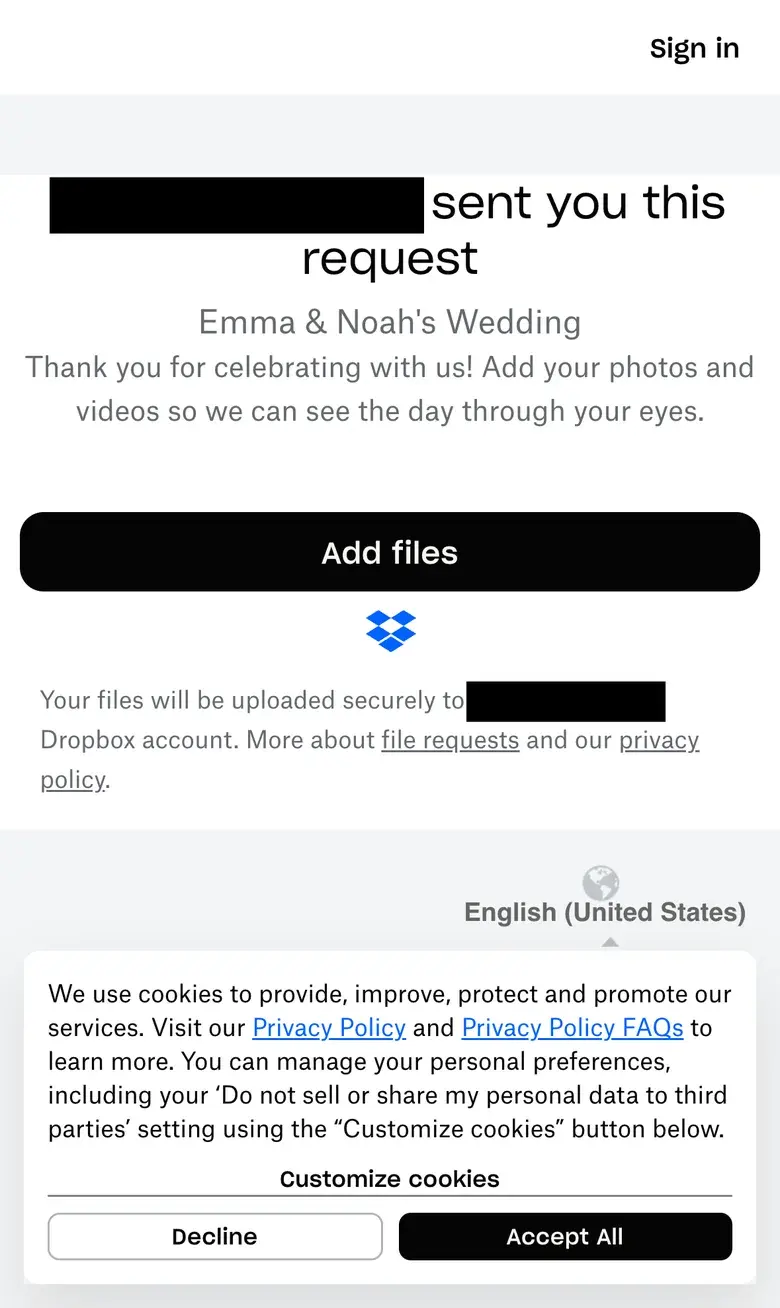
The request opens in the browser. Here is what I saw on the guest page.
Your name comes first. The biggest words on the page were my full name, followed by "sent you this request". Emma and Noah's names sat under that, smaller and in grey. Lower down, my full name showed up again, as the owner of the Dropbox where the files go. So if a parent or a friend sets it up, guests see that person's name first. A cookie notice also covered the bottom third of the screen.
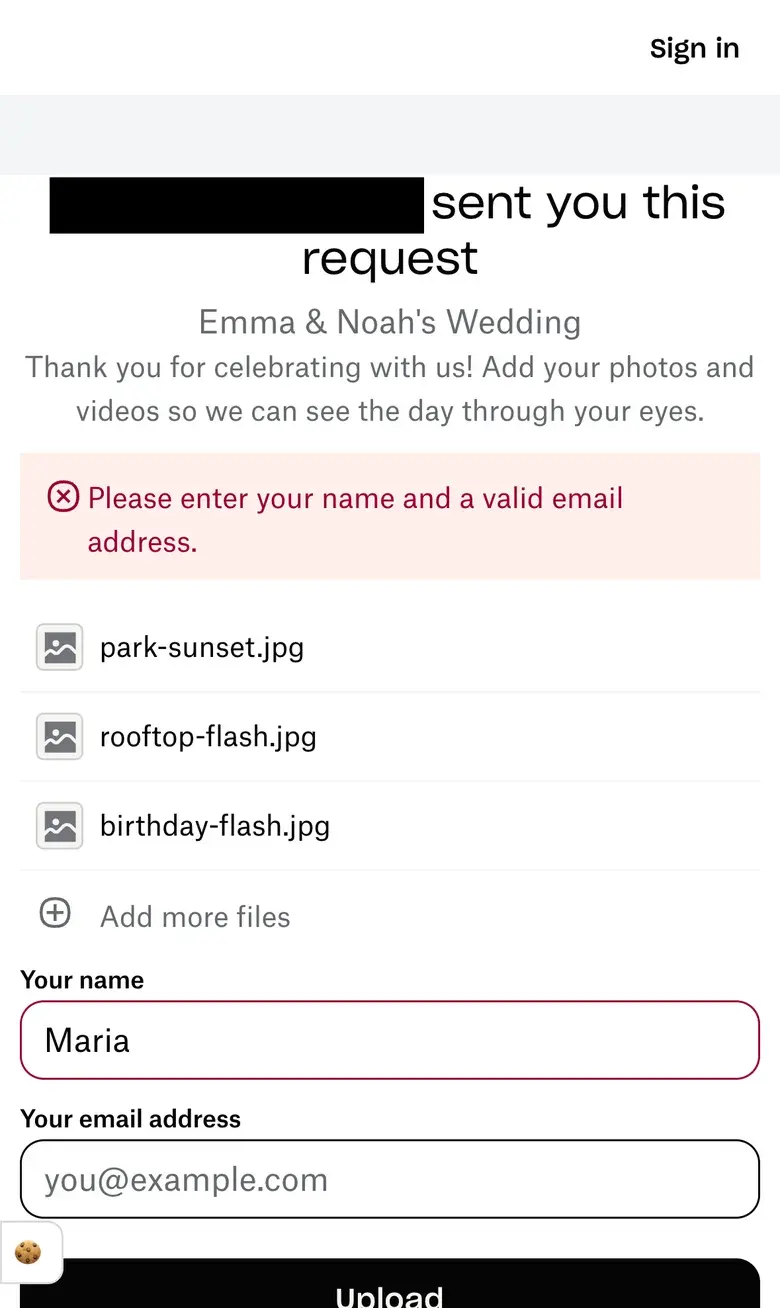
Photos show as file names. "Add files" opened the photo picker in one tap. The upload form listed my selections by filename, such as "park-sunset.jpg", without thumbnails.
The guest form asked for a name and email address. When I left the email blank, it asked for a valid address before the upload could start.
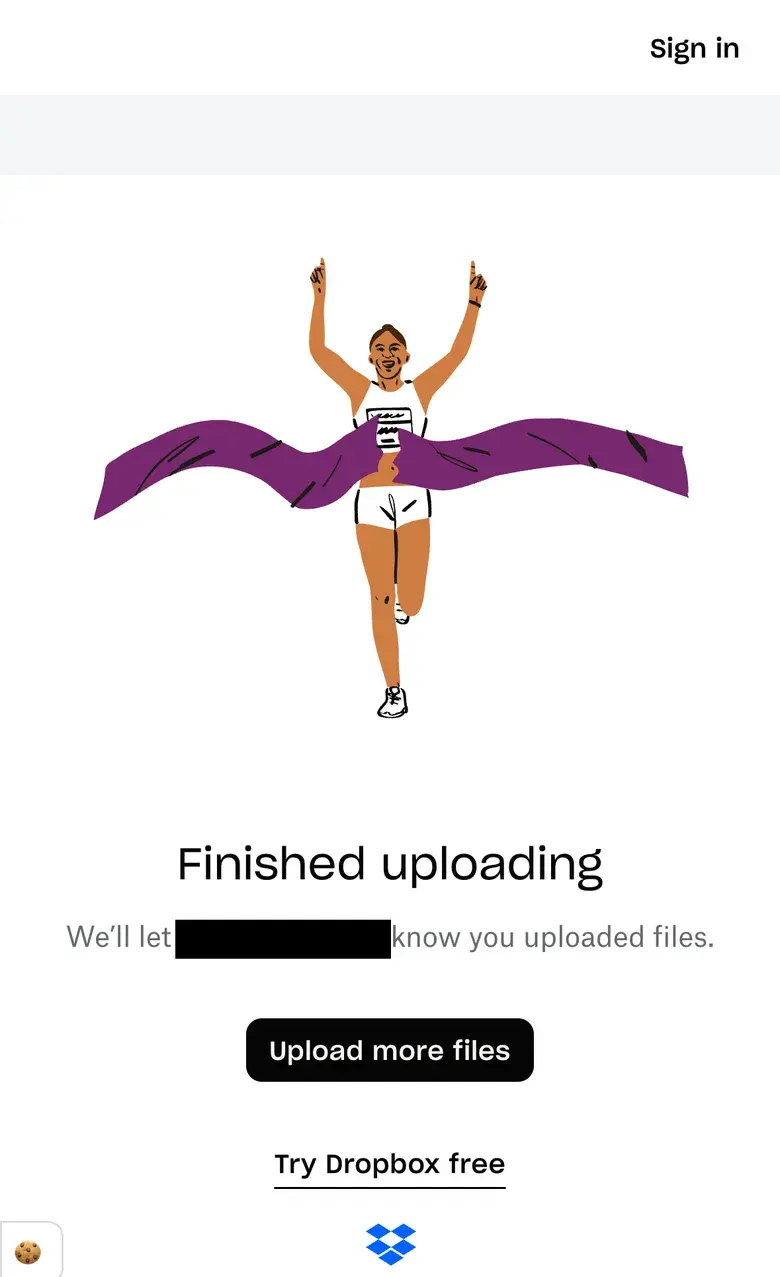
After uploading I got a confirmation and an option to send more files. To let guests browse the collection, the host can share the folder separately.
When your Dropbox fills up
Guest photos use your own Dropbox space. The free Basic plan holds 2 GB in all, and a wedding's photos and videos can fill that quickly. Dropbox's help page says what happens next: "recipients will receive an error when they try to upload."
What the host sees
I could set a title, add a welcome note and choose the folder. Dropbox gave me a link to share. To put it on a table card, I’d turn that link into a QR code.
Dropbox showed how many times the request had been opened and listed contributors by email. In the folder, I selected the files and clicked Download to save them together.
What Dropbox costs
From Dropbox's own pages, checked November 2026:
- File requests work on every Dropbox plan, including the free Basic plan.
- Basic is free and holds 2 GB in all. Dropbox Plus is $9.99 a month, billed yearly, for 2 TB.
- On Basic and Plus, each file can be up to 2 GB.
- Guest photos use your Dropbox space. If it fills up, guests get an error when they try to upload.
How WeddingQR compares
Both services collect originals without asking guests to create an account. WeddingQR adds a shared gallery, a slideshow and a QR code. Dropbox keeps the request folder private by default, which works well if only the couple should see the submissions.
| Dropbox file request | WeddingQR | |
|---|---|---|
| Where photos live | A folder in your own Dropbox | Hosted gallery, with optional copies to Google Drive, OneDrive or Dropbox |
| What guests type | Name and email, both required in my test | Their name |
| Gallery for guests | None. The request page shows guests no photos, even their own | Everyone's photos as they arrive, with an album for each guest |
| Slideshow | None | Live on a TV, with new photos as guests share them |
| QR code | None. Make one with another tool | Built in, with a designer for table cards |
| Biggest name on the guest page | The account owner's full name | Your gallery's name |
| When your storage is full | Guests get an error | Guests keep uploading, and photos copy over once there's room |
| Largest file | 2 GB on Basic and Plus | 5 GB |
| Download everything | Select all, then Download: one ZIP of the originals | Select all on your Photos page: one ZIP of the originals |
| Ad or remarketing tags on the guest page | None before the guest answers a cookie notice | None |
| Price | Free with 2 GB, or Plus at $9.99 a month, billed yearly | $39 once, for every event |
The verdict
Dropbox file requests are a fine way to collect files if you already have Dropbox with room to spare. Setup takes a minute, the photos land in your own folder with each guest's name on them, and the guest page loaded no other company's tags in my test.
For a reception slideshow or a gallery guests can browse right away, WeddingQR includes both for $39 and can copy originals to a drive you connect.
See our guide to the best wedding photo sharing apps and how to collect wedding photos in Google Drive with a QR code.