GuestCam review: we paid $94 and tested what guests get
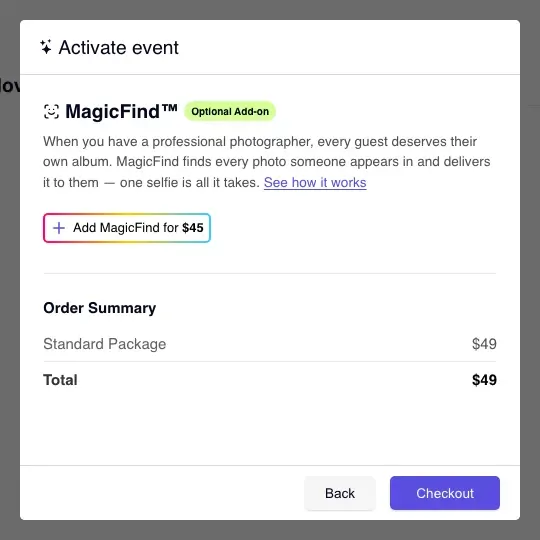
I make WeddingQR, a competing service. I paid $94 for GuestCam in November 2026 ($49 Standard plus the $45 MagicFind add-on) and set up a test wedding gallery.
The short version
GuestCam is a good option for a couple who wants a hosted wedding gallery with browser uploads, a voice guestbook and optional face search. The guest page was welcoming, uploads were straightforward, and the photo we downloaded kept its original quality.
Standard costs $49 per event. MagicFind adds $45 and found the matching photo in our small test. Premium costs $97 and adds, among other features, a phone number guests can call to leave a message. Storage lasts 12 or 14 months, depending on the plan; GuestCam says it provides downloadable backups and expiration reminders.
Setting up the gallery
You type your event name, and the next screen asks for $49. GuestCam has a demo you can browse first, but your own gallery opens once you pay.
By the time I reached the QR code screen, I'd seen three red warning boxes in five minutes. The warnings explain settings that affect guest access, but I found the red presentation stressful. I'd prefer a calmer way to explain those choices.
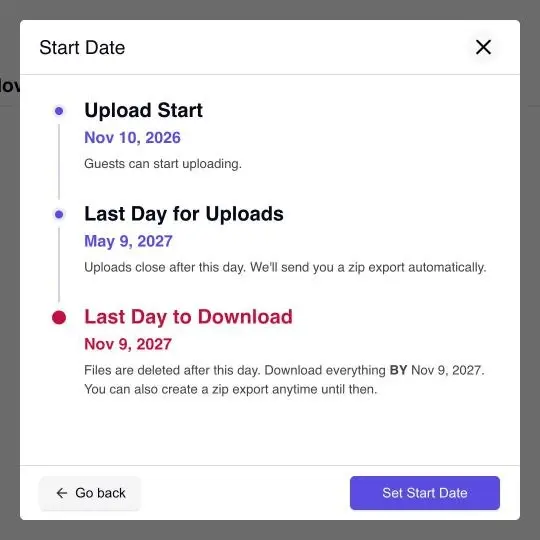
Along the way came the most useful screen. You pick when uploads start, and GuestCam shows a simple timeline: guests can upload for 6 months, and the photos are deleted after a year. Good to know before the big day.
I'd preview the cover crop before sharing the QR code: ours ended up with a black stripe down one side.
For guests, it's friendly
Scan the code and you get a proper wedding page: the couple's photo, their names, a welcome note and one big "Get started" button.
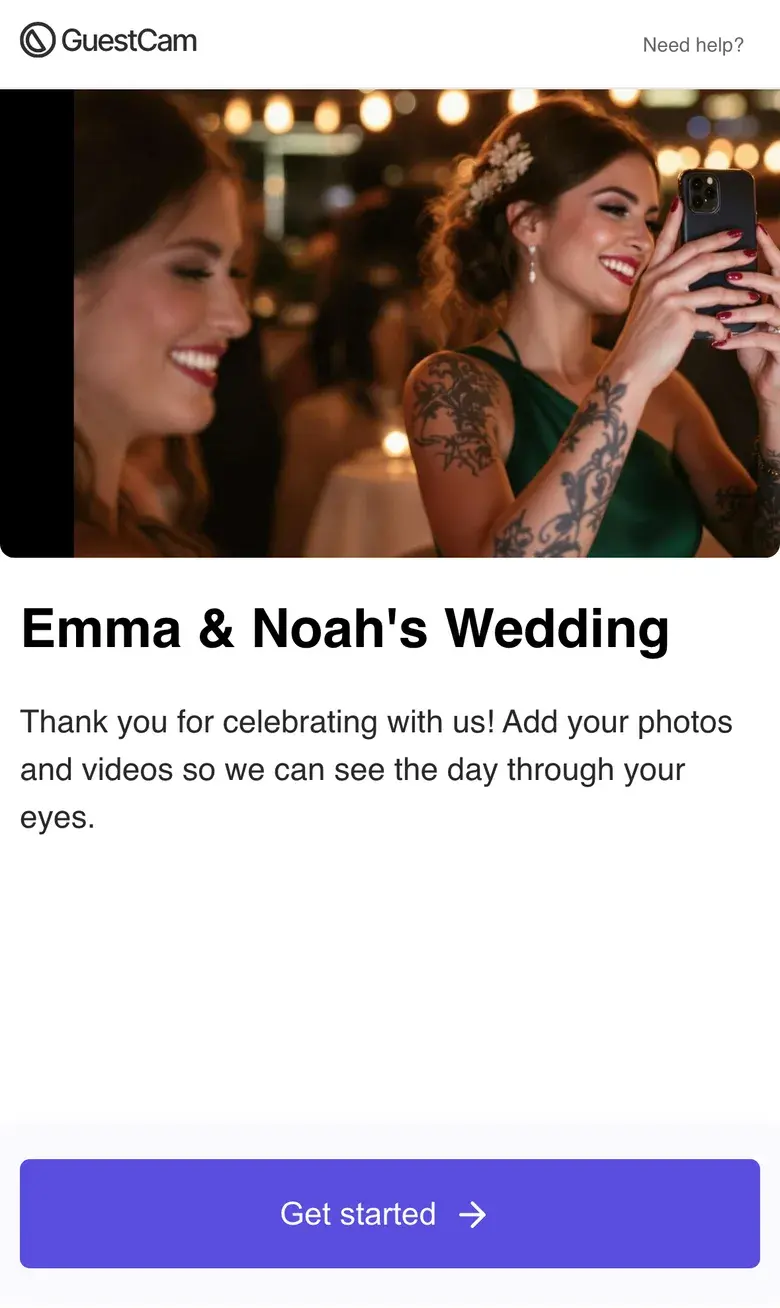
GuestCam's logo sits at the top of the main guest screens, with a "Need help?" link on the $49 plan. It's small and unobtrusive. If you want your own logo instead, GuestCam asks you to contact them for pricing.
Guests type their name, and they're in. A bar along the bottom (Gallery, Voicemails, Upload, MagicFind) makes it feel like an app, without installing anything. Adding photos took four taps plus choosing them. While they uploaded, the screen said "Optimizing: 3", and seeing that progress was reassuring. They showed up about ten seconds later. Guests can add videos too, and leave voice messages if you turn that on.
On a simulated slow connection, the photo picker opened in a median of 6.4 seconds on a first visit, including the welcome and name steps, and 1.7 seconds on a return visit.1
MagicFind: optional selfie search
MagicFind is a $45 add-on that lets guests find photos of themselves with a selfie. I tried it in a gallery of four photos. About 20 seconds after I added my selfie, it returned the one photo I appeared in.
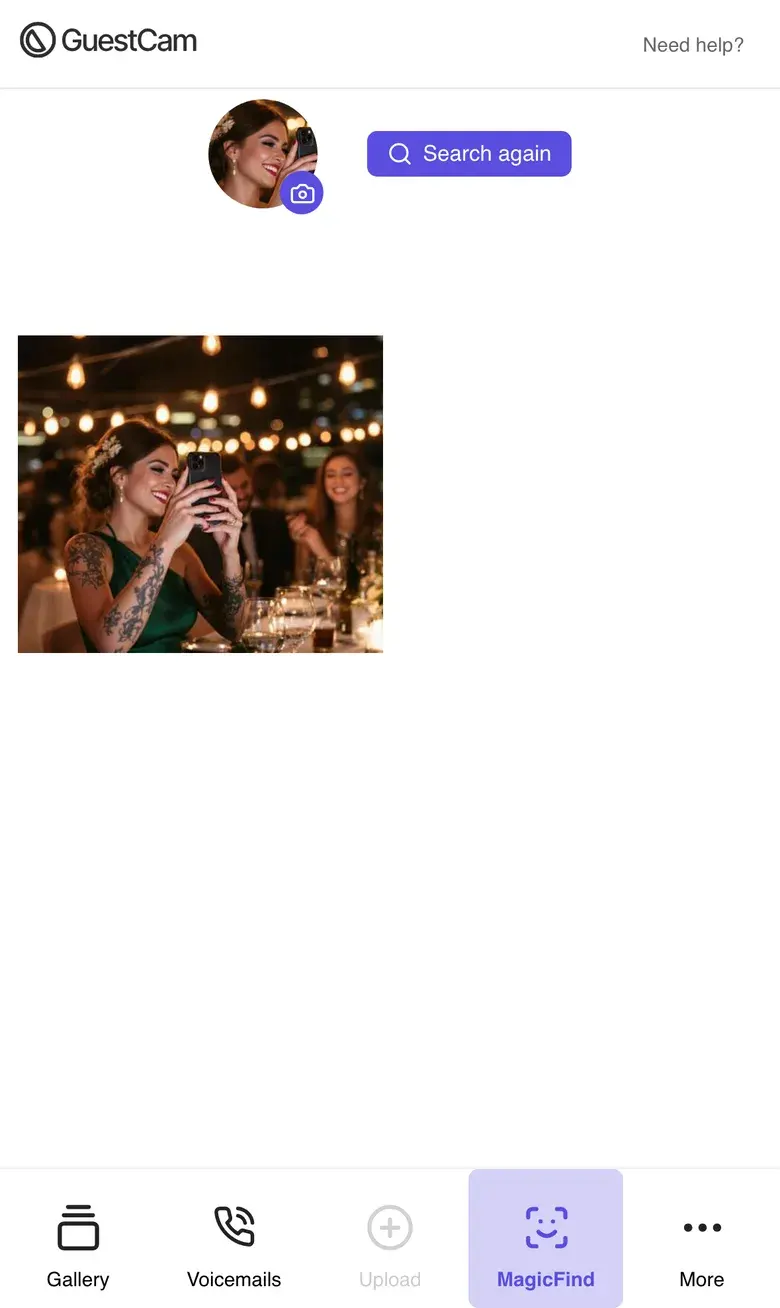
When the host enables MagicFind, it scans faces in photos added to the gallery. Guests choose whether to submit a selfie to search for matches.
GuestCam says facial information is isolated by event and associated event data is permanently deleted when storage expires or the host explicitly requests event removal.
Running the gallery
There are separate menus for event and gallery settings. I mixed them up at first, but the controls cover the choices I'd expect a host to need:
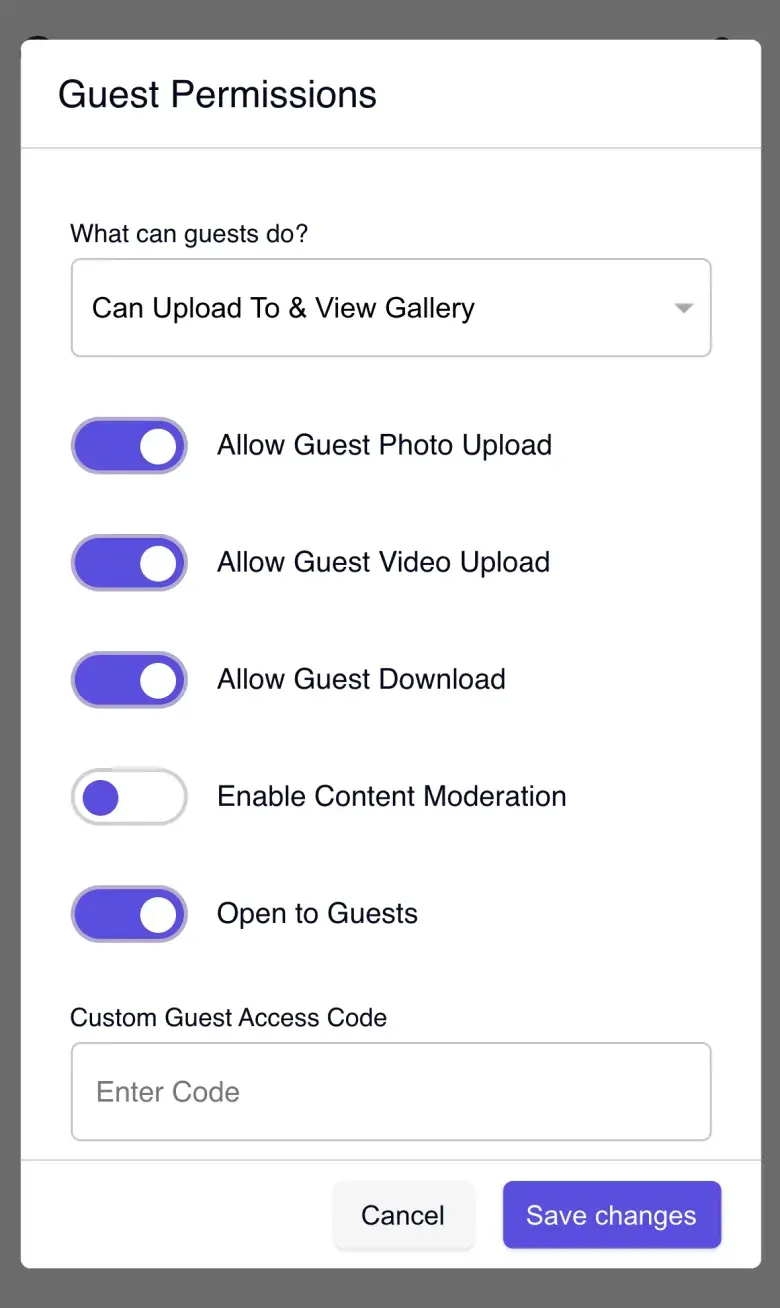
- Guest options: guests can save photos, which is on from the start. New photos only wait for your approval if you turn that on.
- Privacy: you can require a code before guests can enter.
- Download: you can download all your photos at once, and GuestCam says it sends you one file with all your photos when uploads close.
Where your photos live, and when they're deleted
GuestCam hosts the gallery using U.S.-based cloud storage. You don't need to connect a cloud drive to collect photos. You can download the originals to keep a separate archive.
Standard includes 12 months of storage after the event date. Premium includes 14. The dashboard shows the deletion date. GuestCam says it sends expiration reminders and provides a downloadable backup.
When I downloaded a photo as the host, I got the exact original file, with its original name.
Our November 17 check found noindex and nofollow directives on the GuestCam test gallery. They ask compliant search engines not to index the page or follow its links. These directives aren't access control: someone with the gallery link can still open it. GuestCam also offers an entry code for hosts who want to restrict access.
Guest downloads keep the original photo's metadata
Original photos can include the location where they were taken and the camera model, depending on the camera's settings. Keeping that metadata is useful for an archive, but a host may prefer not to share it with every guest. GuestCam preserves the original file when downloads are enabled. That's a product choice with a privacy tradeoff.
We tested this with two browser sessions named Maria and Lena. Maria uploaded a test photo with deliberately added location metadata (the Space Needle) and the camera model "iPhone 15 Pro". Lena opened the gallery in a fresh browser session with phone emulation. The small photos in the grid and the bigger view had those details taken out. Then Lena tapped the download button at the top right of the photo.
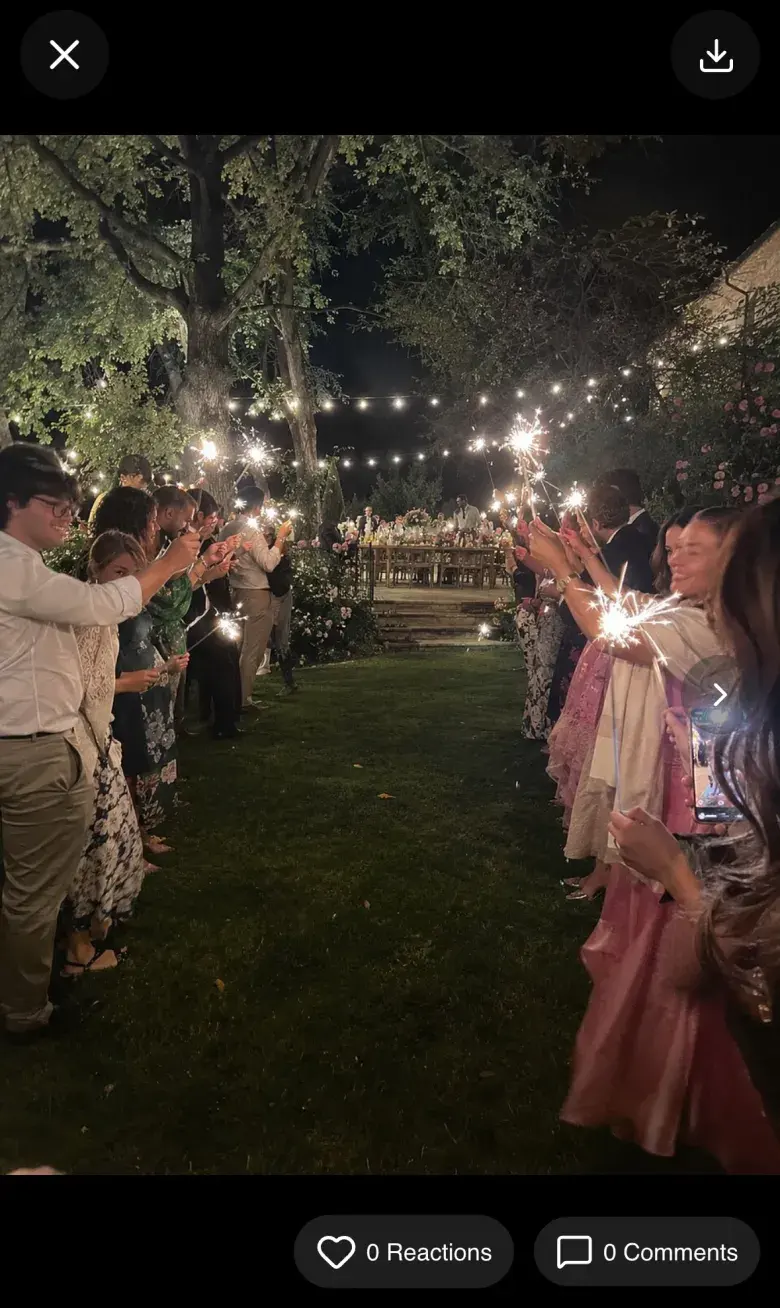
She got the exact file Maria uploaded, byte for byte. The location and the phone model were still inside. The download preserved the metadata we had put in the original.
"Allow Guest Download" was on by default in our test gallery. Hosts can turn it off. To share an original file without its location, remove the location before uploading.
What loads when a guest opens the link
GuestCam says it removed advertising scripts from the guest portal. On our November 17 visit, the landing page loaded Intercom chat, Cloudflare web analytics and a media-player resource. Intercom set cookies. We saw no requests to Google Ads, Meta or PostHog on that visit.1
What it costs
- Standard: $49 per wedding, or $94 with MagicFind. You pay once, with no subscription. Guests can upload for 6 months, and photos are kept for 12.
- Premium: $97 per wedding. It gives guests 12 months to upload, keeps photos for 14, and adds more galleries and a phone number guests can call.
- Published refund policy, checked November 12: refunds if you cancel before the event's start date or the event gets no uploads. Uploading and then deleting files still counts as usage.
Each new event is a new purchase, so include any separate engagement party or shower galleries when comparing costs.
GuestCam and WeddingQR side by side
| WeddingQR | GuestCam | |
|---|---|---|
| Price | $39 once, for every event | $49 per event (Standard) or $97 (Premium). MagicFind is $45 more |
| Where photos live | Hosted gallery, with optional original copies to your Google Drive, OneDrive or Dropbox | Hosted gallery: 12 months after the event on Standard, 14 months on Premium. Download a backup to keep separately |
| A guest saves another guest's photo | Gets a copy with the location and phone details taken out | Gets the original, including any location and camera metadata. Enabled by default in our test; the host can disable downloads |
| Find photos by face | Not offered | Optional MagicFind add-on, $45 |
| Taps to the photo picker, first visit | 1 | 4, with a name first |
| Download everything | One ZIP of every original; copies also go to your own storage if you connect it | One ZIP in original quality |
| Guestbook | Written, voice and video messages | Voice messages, with a phone number to call on Premium |
Prices and features checked November 2026. Upload steps and downloads are from our small test gallery, not a wedding-sized event. WeddingQR works without connecting a cloud drive. If you choose to connect one, it copies originals there, including photos already in the gallery.
The verdict
GuestCam offers a friendly guest flow, optional face search and original-quality downloads. It suits a couple who wants a hosted gallery and values those extras. Decide whether guests should be able to download originals with their metadata, and keep a copy of your photos before the storage period ends. GuestCam says its backups and reminders help with that.
WeddingQR is worth considering if you want the option to copy photos automatically into your own cloud drive, or to pay once for several events. Both services host a guest gallery without requiring you to connect a drive. GuestCam offers face search and a Premium phone-in guestbook that WeddingQR doesn't. Those are meaningful reasons to choose it.
If you choose GuestCam, review "Allow Guest Download", decide whether to enable MagicFind and an entry code, and save the downloadable backup somewhere you control.
For the other apps we tested, read our benchmark of six wedding photo apps and our guide to the best wedding photo sharing apps.