Kululu review: trying the $39 Plus plan at a test wedding
I make WeddingQR, a competing service. In November 2026 I tried Kululu's free plan, then paid $39 for its Plus plan and set up the same wedding on it. Kululu's prices and features were checked November 2026.
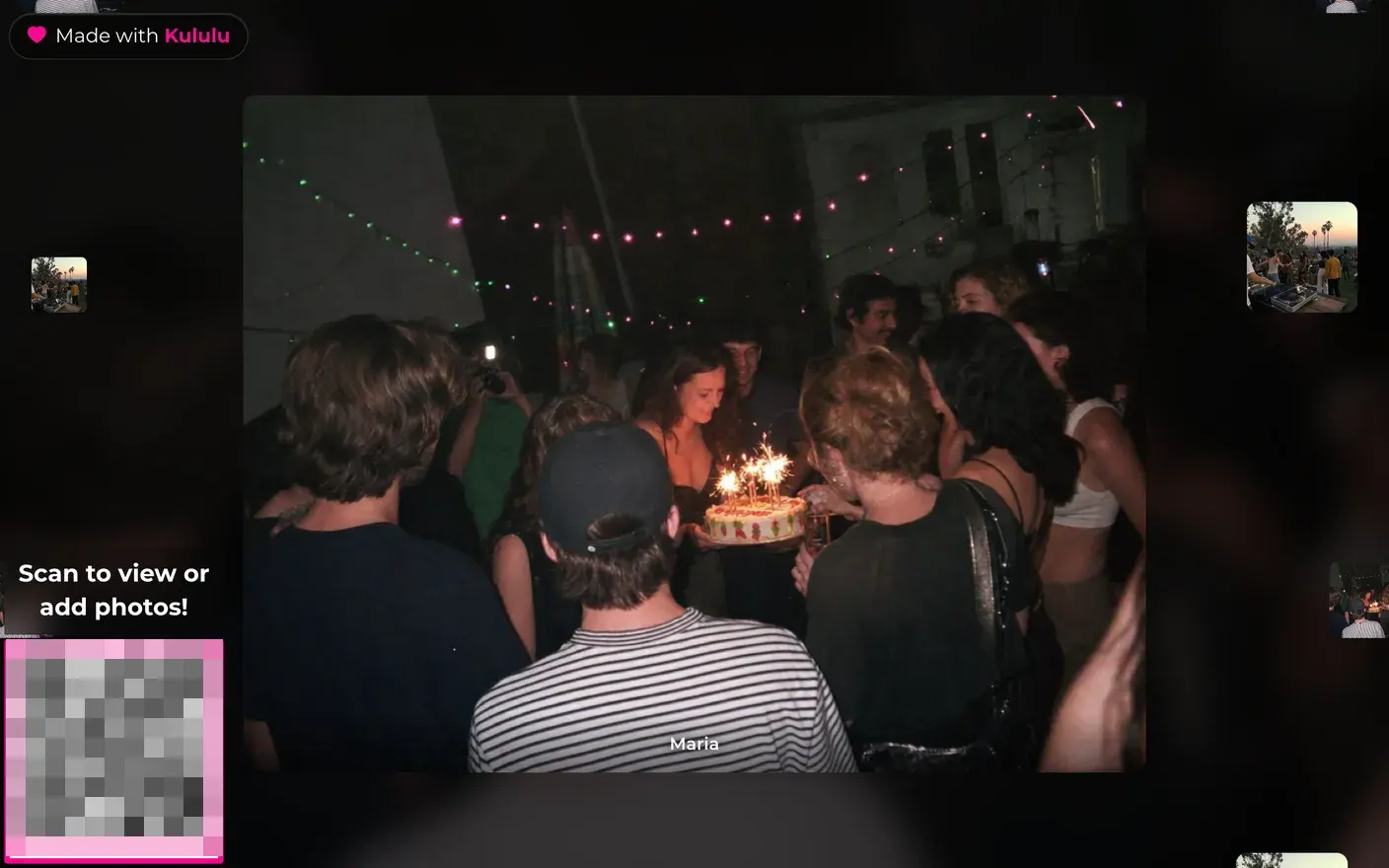
I uploaded photos as a guest, opened the Photo Wall on a larger screen and downloaded the files as the host. The Photo Wall is the feature I’d choose Kululu for at a reception. It shows who took the photo and keeps a QR code on screen so other guests can join.
Choosing a Kululu plan
Plus costs $39 per event before tax. Guests have one month to add up to 500 photos and videos. Free allows 100 uploads in 24 hours and keeps them for seven days. Pro costs $99 before tax and includes unlimited uploads, advance moderation and one year of storage.
Saving photos after the event
Plus includes three months of hosting. On my paid event, the dashboard offered a ZIP download of the original uploads. I’d save that ZIP after the event, while everyone’s photos are together.
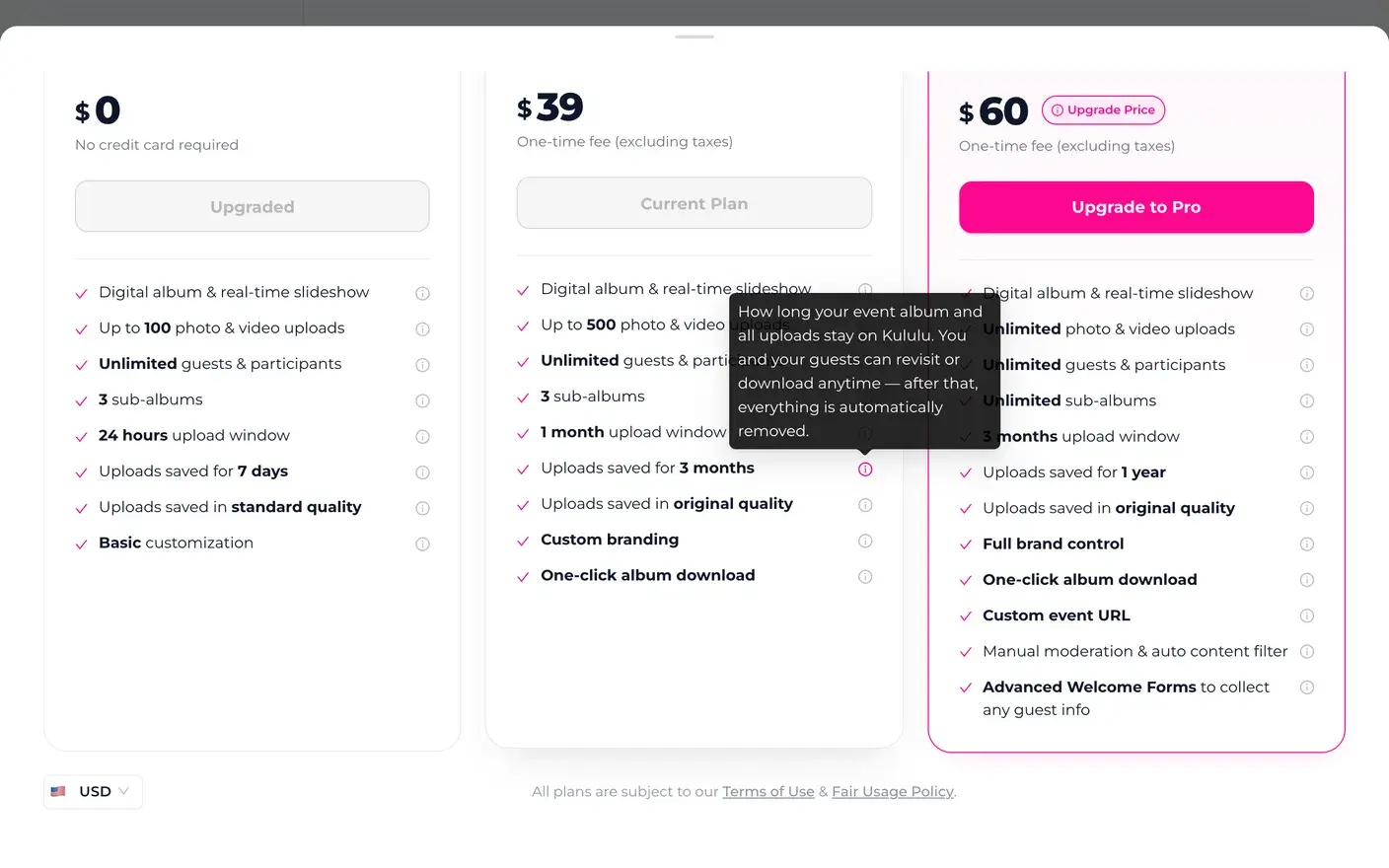
Kululu says it emails the host before deleting event data. Its plan screen lists the storage period.
Branding on Plus
On my paid Plus wedding, every guest screen had a "Made with Kululu" badge in the top corner. It's a link to Kululu's homepage. The guest menu ends with "Get Kululu For Your Event". The badge also sits in the corner of the big-screen slideshow.

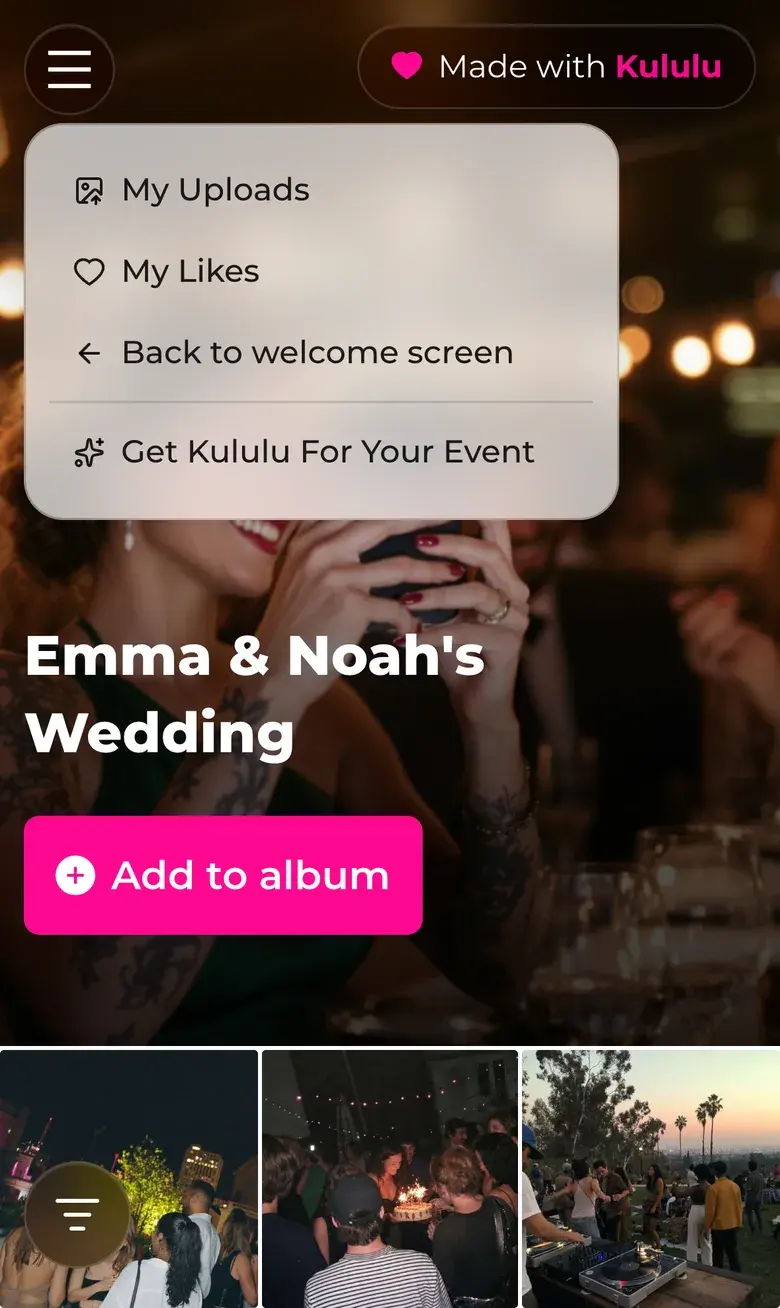
Plus lists "custom branding", and its tooltip says "Kululu branding still appears." The setting to turn it off is called "Remove our Kululu branding and ads from all pages." Kululu's help says that setting is only on the $99 Pro plan.
What guests can download
On Plus, the files I downloaded as a guest matched the originals byte for byte. That’s helpful for printing. It also preserves any location or camera details in the original. On the free plan, I confirmed this with a photo I had deliberately tagged with a location.
Adding photos from a phone
We added 3 photos to my Plus wedding as a guest, in a browser set up like an iPhone. It took 5 taps plus choosing the photos, a typed name, and a 5-second countdown. The countdown sheet says "Using iPhone?" and tells the guest to wait while the phone converts the files. The Continue button only works after 5 seconds.
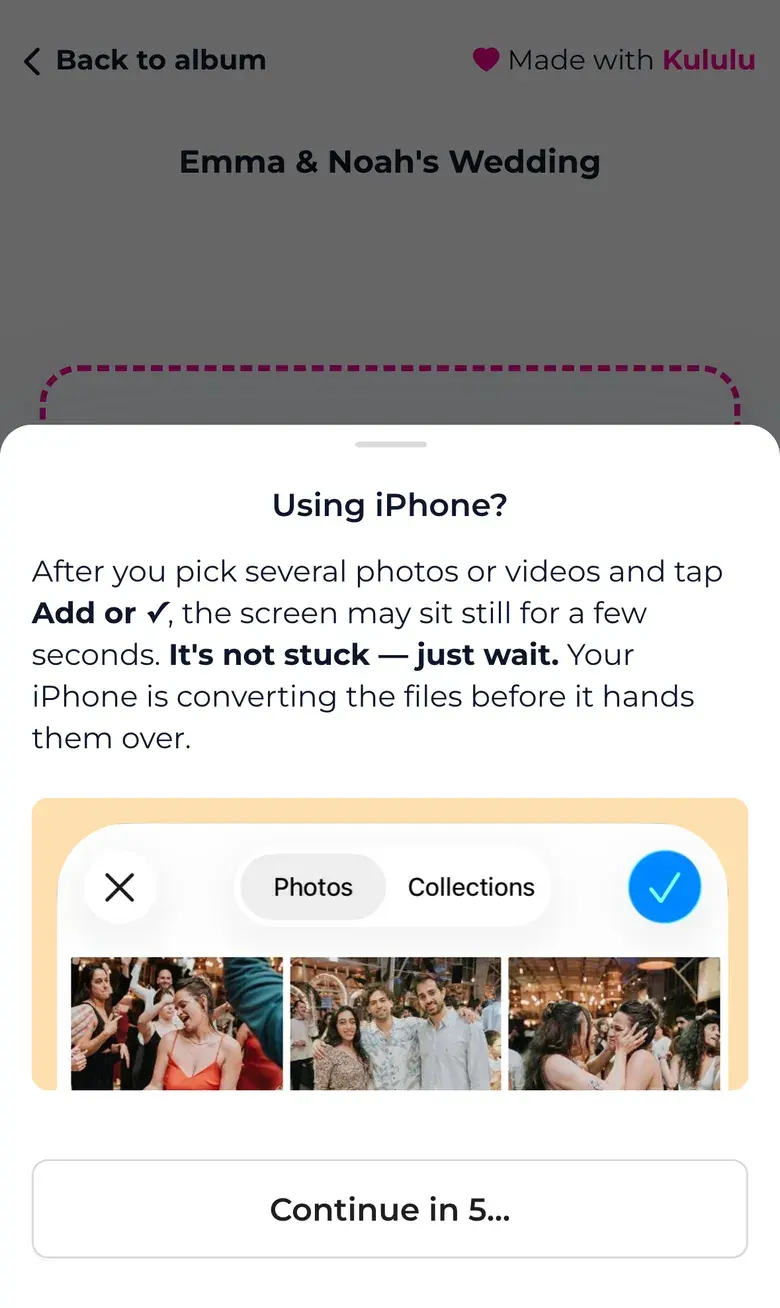
The countdown appeared again on my second upload. Guests could caption photos or write a message of their own.
Setting up
Kululu has a quick start. You make an account, then answer three questions, one per screen: what kind of event, what to call it, and when. Then it shows a QR code to "add your first photos" and drops you on the dashboard behind a pop-up.
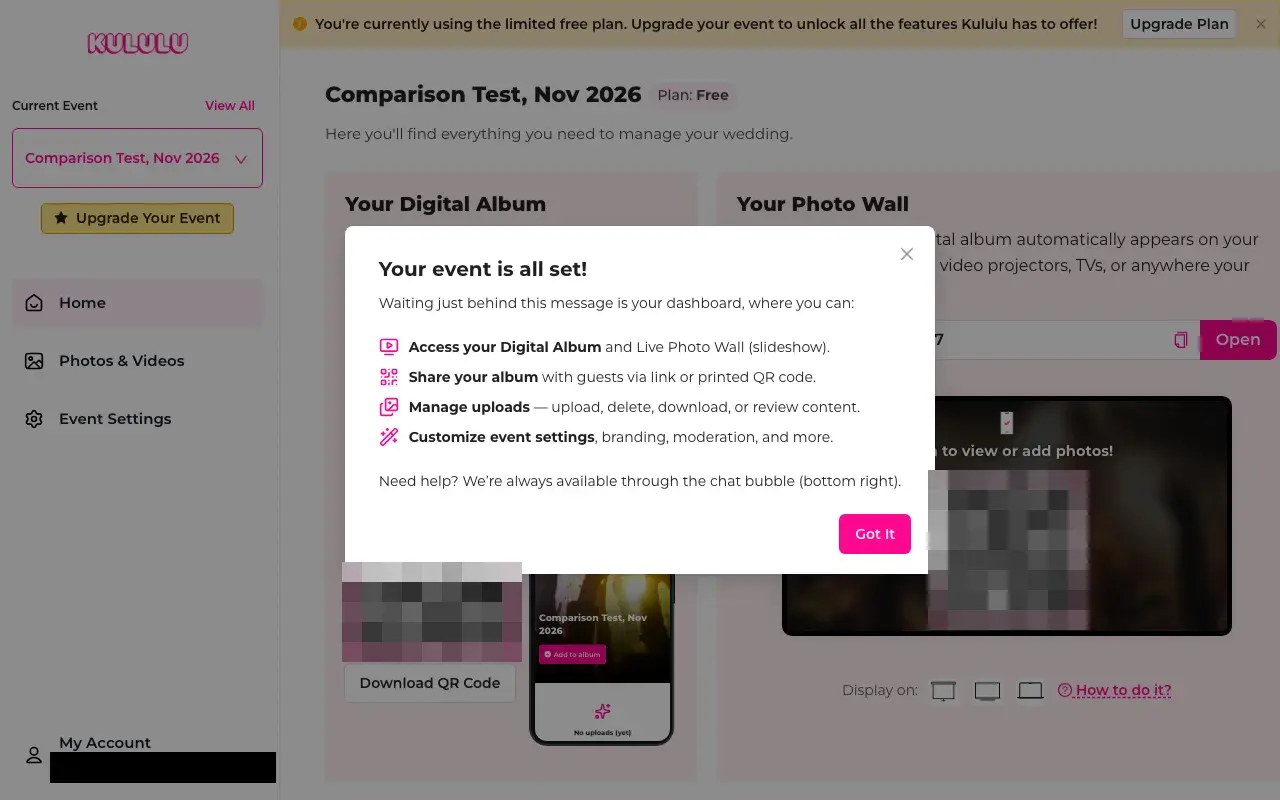
I could add a cover image and welcome message after setup. Until guests upload, the album shows stock photos of confetti and raised hands, unless you find "Album Background" in the Appearance settings. When I added a welcome line, a name field appeared on the guest page.
At the reception and after it
- The slideshow. The Photo Wall was my favorite part of running the gallery. It shows a big photo with the guest's name, other photos drifting at the edges, and a QR code to add more. It has display presets for a projector, a TV and a laptop, and settings for timing and what to hide.
- Moderation. The host's photo page has Published, Need Approval and Hidden tabs, and you can hide or pin any photo from its own menu.
- Download all. On Plus, one click gave me a ZIP of the exact files guests uploaded, each named after the guest who sent it. Kululu also emailed me the link, which lasts 3 days. The ZIP also held an extra, enlarged copy of each photo with the guest's name printed on it.
- Original quality. Kululu says Plus keeps photos in original quality, and that held up. Every download I tried on Plus, as host and as guest, gave back the exact file that was uploaded.
- Bad signal. In our benchmark's trial over a very poor connection, Kululu sent 3 photos in about 25 seconds. WeddingQR took about 45.
- Captions and text posts. Guests can add a caption to each photo, or post a message with no photo.
Kululu and WeddingQR
| Kululu Plus | WeddingQR | |
|---|---|---|
| Price | $39 per event, one time, plus tax | $39 one time, for every gallery you make |
| Uploads | Up to 500 photos and videos | Unlimited photos and videos |
| Time for guests to upload | 1 month | Until you turn uploads off |
| Where photos live | Kululu's servers, deleted after 3 months | Hosted gallery, with optional copies to Google Drive, OneDrive or Dropbox |
| Vendor branding shown to guests | Yes, "Made with Kululu" on every screen | None |
| Approve photos before guests see them | Pro plan only ($99) | Included |
I’d choose Kululu for a reception where the Photo Wall is part of the evening. The screen presets, guest names and captions make it easy to put on a show, and the Plus archive preserved the original files in our test. WeddingQR suits hosts who run several events or want originals copied automatically to a connected drive. Both offer a slideshow and a downloadable archive.
For how Kululu compares with GuestCam, Wedibox, Joy and POV, see our wedding photo app benchmark and our guide to the best wedding photo sharing apps.